
Supported formats: PDF (with OCR for scanned files), Word (.docx), and legacy Word (.doc).
Upload methods
- Directly in a chat (temporary, available within that chat).
- Into a project (permanent, available to all chats and tabular reviews in the project).
- Through the Google Drive / Microsoft 365 / Box connectors — files are copied into Eulex Desk on import.
- By pasting a long text into the composer — it becomes a Pasted text document.
The document editor
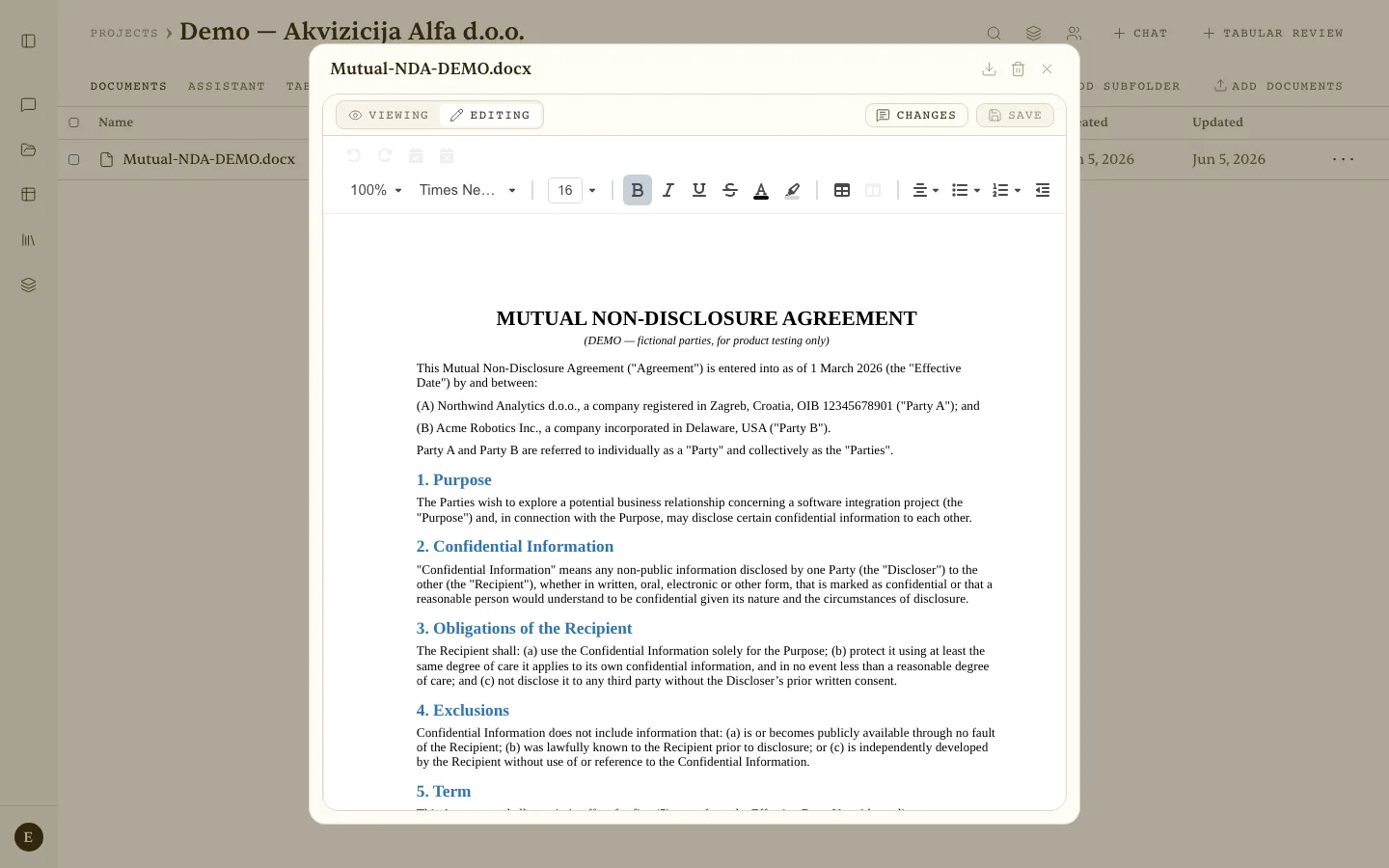 The document editor in Editing mode — formatting toolbar, the Changes panel, and Save.
Uploaded and generated Word documents open in an embedded editor in the side panel. Viewing shows the document; Editing lets you change it directly, with a formatting toolbar and auto-save. The Tracked changes panel lists every addition, deletion, and replacement the assistant proposed, for you to accept or reject one by one.
Draft Mode — in Editing mode, select a passage and click Edit selection. Write an instruction, or pick a quick action: Soften the wording, Strengthen liability, Rephrase neutrally, Shorten. The edit lands as a tracked change.
Management
- Rename and delete (owner only).
- Subfolders to organise files within a project.
- Download — individually or in bulk (ZIP, up to 30 documents).
- Document versions — upload a new version and review all previous ones.
- Per-document anonymisation review (PII shield).
